

Web API & demo app#
The repository contains two ready-to-run applications: a REST API template to integrate docTR into your services, and an interactive demo to try the models.
REST API#
The api/ folder is a FastAPI
application exposing docTR over HTTP, packaged with Docker.
Start the server#
You need Docker and Python (to resolve the dependencies with uv):
git clone https://github.com/mindee/doctr.git
cd doctr/api
make run
The server listens on port 8080. Its interactive documentation (Swagger UI) is available at http://localhost:8080/docs.
Routes#
Route |
Description |
|---|---|
|
Text detection: the boxes of the words |
|
Text recognition of word crops |
|
End-to-end OCR |
|
Key information extraction |
Each route accepts images and PDFs (application/pdf, image/jpeg, image/png) as multipart files, and the
architectures to use as query parameters:
import requests

params = {"det_arch": "fast_base", "reco_arch": "crnn_vgg16_bn"}

with open("path/to/invoice.pdf", "rb") as f:
    files = [("files", ("invoice.pdf", f.read(), "application/pdf"))]

response = requests.post("http://localhost:8080/ocr", params=params, files=files)
print(response.json())
The template is a starting point: adapt the routes, the response schemas and the models to your needs. The API README documents every route with examples.
Demo app#
A Streamlit app lets you upload a document, pick the models, and inspect the segmentation maps, the detected words and the reconstructed page.
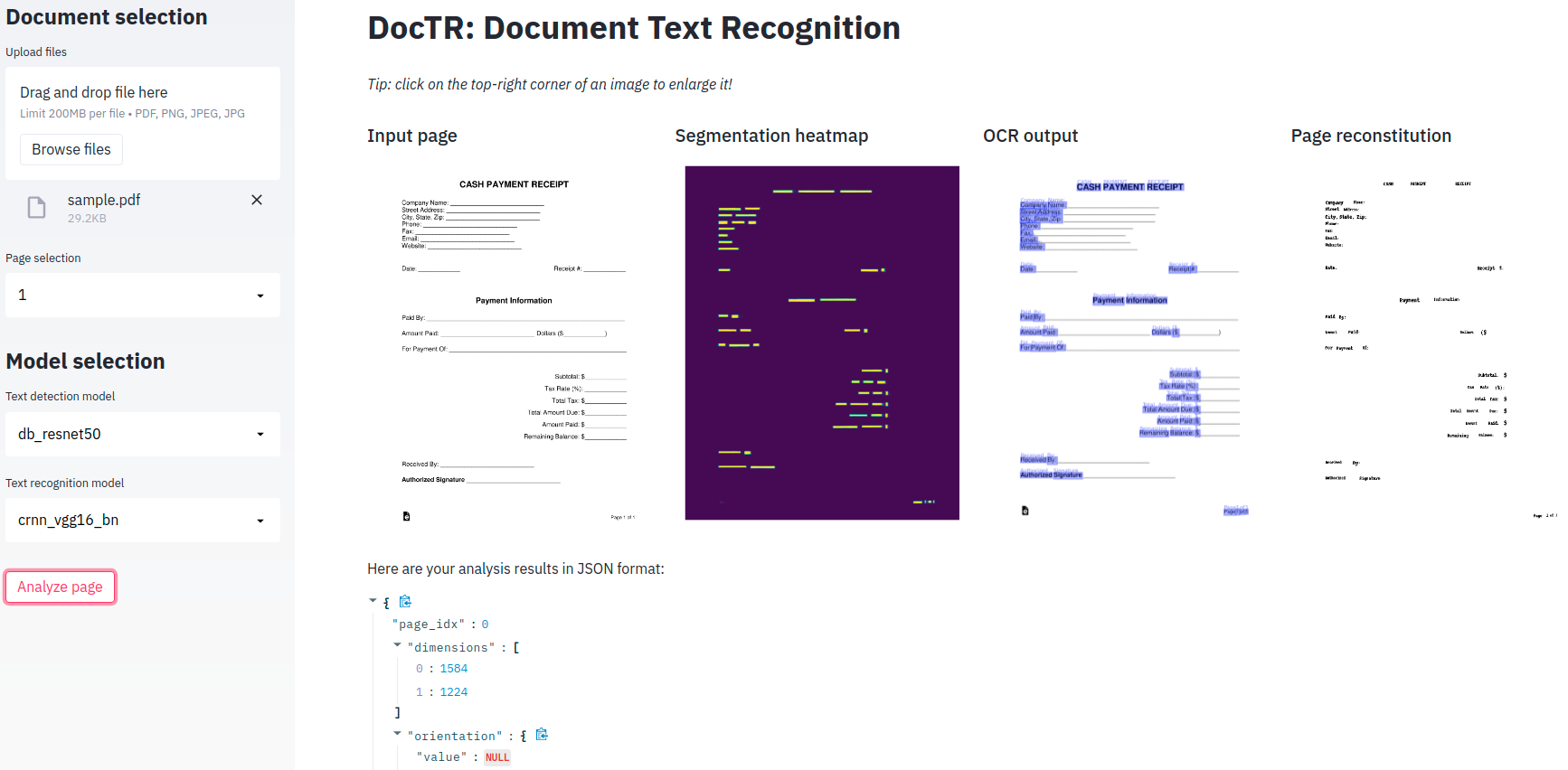
Try it online on Hugging Face Spaces, or run it locally from the repository:
pip install -r demo/pt-requirements.txt
streamlit run demo/app.py
Example script#
scripts/analyze.py analyzes a single file and
displays the results, a handy way to try options from the terminal:
python scripts/analyze.py path/to/your/doc.pdf
python scripts/analyze.py --help
For batch processing from the terminal, use the CLI.