

doctr.datasets#
Public datasets, synthetic data generators and loaders for your own annotations. See Datasets for a guide.
Public datasets#
- class FUNSD(
- train=True,
- use_polygons=False,
- recognition_task=False,
- detection_task=False,
- **kwargs,
FUNSD dataset from “FUNSD: A Dataset for Form Understanding in Noisy Scanned Documents”.
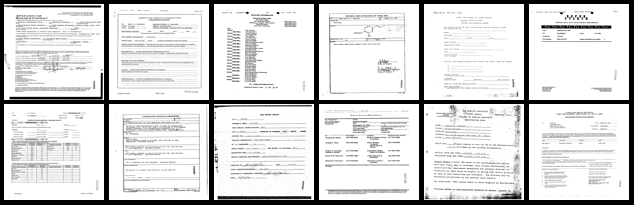
>>> from doctr.datasets import FUNSD
>>> train_set = FUNSD(train=True, download=True)
>>> sample = train_set[0]
>>> img, target = sample.image, sample.target
- Parameters:
train (bool) – whether the subset should be the training one
use_polygons (bool) – whether polygons should be considered as rotated bounding box (instead of straight ones)
recognition_task (bool) – whether the dataset should be used for recognition task
detection_task (bool) – whether the dataset should be used for detection task
**kwargs (Any) – keyword arguments from VisionDataset.
- class SROIE(
- train=True,
- use_polygons=False,
- recognition_task=False,
- detection_task=False,
- **kwargs,
SROIE dataset from “ICDAR2019 Competition on Scanned Receipt OCR and Information Extraction”.
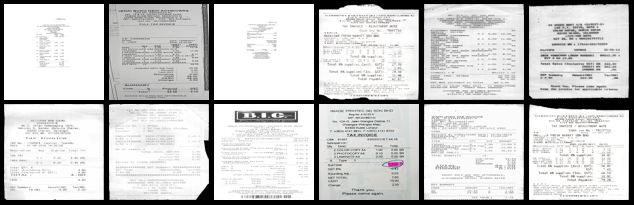
>>> from doctr.datasets import SROIE
>>> train_set = SROIE(train=True, download=True)
>>> sample = train_set[0]
>>> img, target = sample.image, sample.target
- Parameters:
train (bool) – whether the subset should be the training one
use_polygons (bool) – whether polygons should be considered as rotated bounding box (instead of straight ones)
recognition_task (bool) – whether the dataset should be used for recognition task
detection_task (bool) – whether the dataset should be used for detection task
**kwargs (Any) – keyword arguments from VisionDataset.
- class CORD(
- train=True,
- use_polygons=False,
- recognition_task=False,
- detection_task=False,
- **kwargs,
CORD dataset from “CORD: A Consolidated Receipt Dataset forPost-OCR Parsing”.
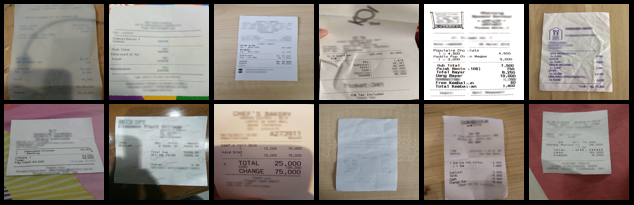
>>> from doctr.datasets import CORD
>>> train_set = CORD(train=True, download=True)
>>> sample = train_set[0]
>>> img, target = sample.image, sample.target
- Parameters:
train (bool) – whether the subset should be the training one
use_polygons (bool) – whether polygons should be considered as rotated bounding box (instead of straight ones)
recognition_task (bool) – whether the dataset should be used for recognition task
detection_task (bool) – whether the dataset should be used for detection task
**kwargs (Any) – keyword arguments from VisionDataset.
- class IIIT5K(
- train=True,
- use_polygons=False,
- recognition_task=False,
- detection_task=False,
- **kwargs,
IIIT-5K character-level localization dataset from “BMVC 2012 Scene Text Recognition using Higher Order Language Priors”.
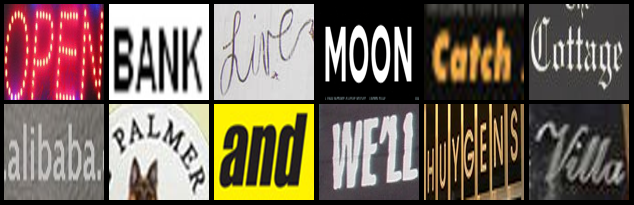
>>> # NOTE: this dataset is for character-level localization
>>> from doctr.datasets import IIIT5K
>>> train_set = IIIT5K(train=True, download=True)
>>> sample = train_set[0]
>>> img, target = sample.image, sample.target
- Parameters:
train (bool) – whether the subset should be the training one
use_polygons (bool) – whether polygons should be considered as rotated bounding box (instead of straight ones)
recognition_task (bool) – whether the dataset should be used for recognition task
detection_task (bool) – whether the dataset should be used for detection task
**kwargs (Any) – keyword arguments from VisionDataset.
- class SVT(
- train=True,
- use_polygons=False,
- recognition_task=False,
- detection_task=False,
- **kwargs,
SVT dataset from “The Street View Text Dataset - UCSD Computer Vision”.
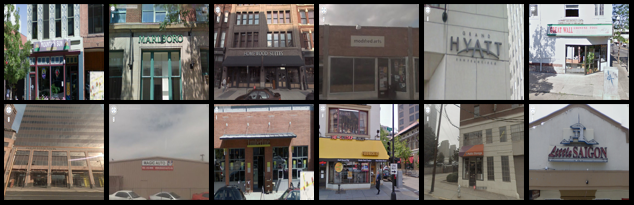
>>> from doctr.datasets import SVT
>>> train_set = SVT(train=True, download=True)
>>> sample = train_set[0]
>>> img, target = sample.image, sample.target
- Parameters:
train (bool) – whether the subset should be the training one
use_polygons (bool) – whether polygons should be considered as rotated bounding box (instead of straight ones)
recognition_task (bool) – whether the dataset should be used for recognition task
detection_task (bool) – whether the dataset should be used for detection task
**kwargs (Any) – keyword arguments from VisionDataset.
- class SVHN(
- train=True,
- use_polygons=False,
- recognition_task=False,
- detection_task=False,
- **kwargs,
SVHN dataset from “The Street View House Numbers (SVHN) Dataset”.
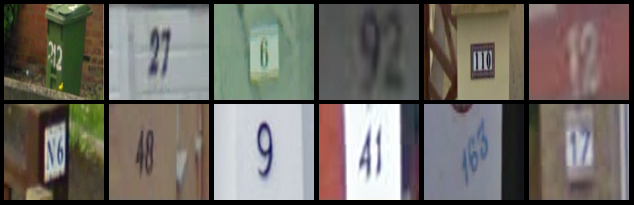
>>> from doctr.datasets import SVHN
>>> train_set = SVHN(train=True, download=True)
>>> sample = train_set[0]
>>> img, target = sample.image, sample.target
- Parameters:
train (bool) – whether the subset should be the training one
use_polygons (bool) – whether polygons should be considered as rotated bounding box (instead of straight ones)
recognition_task (bool) – whether the dataset should be used for recognition task
detection_task (bool) – whether the dataset should be used for detection task
**kwargs (Any) – keyword arguments from VisionDataset.
- class SynthText(
- train=True,
- use_polygons=False,
- recognition_task=False,
- detection_task=False,
- **kwargs,
SynthText dataset from “Synthetic Data for Text Localisation in Natural Images” | “repository” | “website”.
>>> from doctr.datasets import SynthText
>>> train_set = SynthText(train=True, download=True)
>>> sample = train_set[0]
>>> img, target = sample.image, sample.target
- Parameters:
train (bool) – whether the subset should be the training one
use_polygons (bool) – whether polygons should be considered as rotated bounding box (instead of straight ones)
recognition_task (bool) – whether the dataset should be used for recognition task
detection_task (bool) – whether the dataset should be used for detection task
**kwargs (Any) – keyword arguments from VisionDataset.
- class IC03(
- train=True,
- use_polygons=False,
- recognition_task=False,
- detection_task=False,
- **kwargs,
IC03 dataset from “ICDAR 2003 Robust Reading Competitions: Entries, Results and Future Directions”.
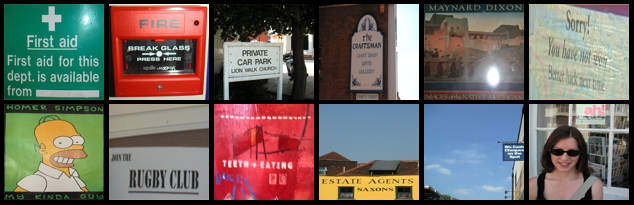
>>> from doctr.datasets import IC03
>>> train_set = IC03(train=True, download=True)
>>> sample = train_set[0]
>>> img, target = sample.image, sample.target
- Parameters:
train (bool) – whether the subset should be the training one
use_polygons (bool) – whether polygons should be considered as rotated bounding box (instead of straight ones)
recognition_task (bool) – whether the dataset should be used for recognition task
detection_task (bool) – whether the dataset should be used for detection task
**kwargs (Any) – keyword arguments from VisionDataset.
- class IC13(
- img_folder,
- label_folder,
- use_polygons=False,
- recognition_task=False,
- detection_task=False,
- **kwargs,
IC13 dataset from “ICDAR 2013 Robust Reading Competition”.
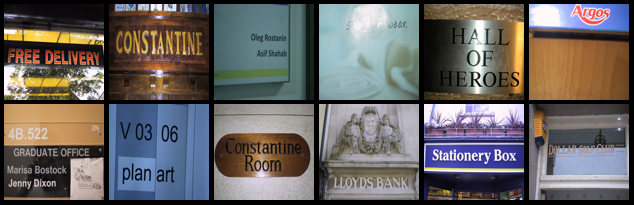
>>> # NOTE: You need to download both image and label parts from Focused Scene Text challenge Task2.1 2013-2015.
>>> from doctr.datasets import IC13
>>> train_set = IC13(img_folder="/path/to/Challenge2_Training_Task12_Images",
>>>                  label_folder="/path/to/Challenge2_Training_Task1_GT")
>>> sample = train_set[0]
>>> img, target = sample.image, sample.target
>>> test_set = IC13(img_folder="/path/to/Challenge2_Test_Task12_Images",
>>>                 label_folder="/path/to/Challenge2_Test_Task1_GT")
>>> sample = test_set[0]
>>> img, target = sample.image, sample.target
- Parameters:
img_folder (str) – folder with all the images of the dataset
label_folder (str) – folder with all annotation files for the images
use_polygons (bool) – whether polygons should be considered as rotated bounding box (instead of straight ones)
recognition_task (bool) – whether the dataset should be used for recognition task
detection_task (bool) – whether the dataset should be used for detection task
**kwargs (Any) – keyword arguments from AbstractDataset.
- class IMGUR5K(
- img_folder,
- label_path,
- train=True,
- use_polygons=False,
- recognition_task=False,
- detection_task=False,
- **kwargs,
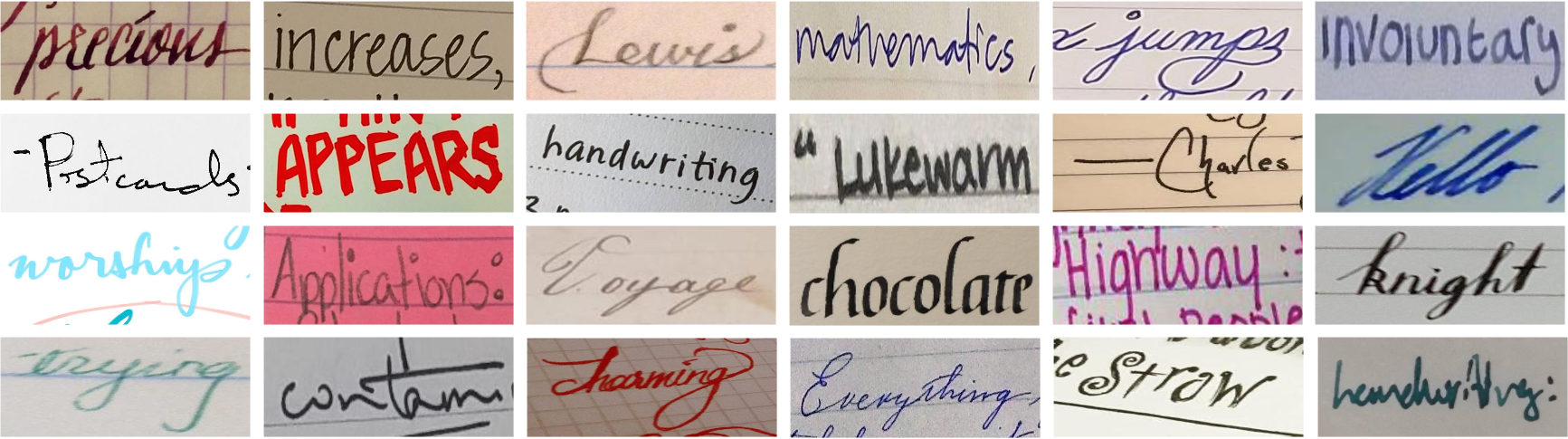
IMGUR5K dataset from “TextStyleBrush: Transfer of Text Aesthetics from a Single Example” | repository.
>>> # NOTE: You need to download/generate the dataset from the repository.
>>> from doctr.datasets import IMGUR5K
>>> train_set = IMGUR5K(train=True, img_folder="/path/to/IMGUR5K-Handwriting-Dataset/images",
>>>                     label_path="/path/to/IMGUR5K-Handwriting-Dataset/dataset_info/imgur5k_annotations.json")
>>> sample = train_set[0]
>>> img, target = sample.image, sample.target
>>> test_set = IMGUR5K(train=False, img_folder="/path/to/IMGUR5K-Handwriting-Dataset/images",
>>>                    label_path="/path/to/IMGUR5K-Handwriting-Dataset/dataset_info/imgur5k_annotations.json")
>>> sample = test_set[0]
>>> img, target = sample.image, sample.target
- Parameters:
img_folder (str) – folder with all the images of the dataset
label_path (str) – path to the annotations file of the dataset
train (bool) – whether the subset should be the training one
use_polygons (bool) – whether polygons should be considered as rotated bounding box (instead of straight ones)
recognition_task (bool) – whether the dataset should be used for recognition task
detection_task (bool) – whether the dataset should be used for detection task
**kwargs (Any) – keyword arguments from AbstractDataset.
- class MJSynth(img_folder, label_path, train=True, **kwargs)[source]#
MJSynth dataset from “Synthetic Data and Artificial Neural Networks for Natural Scene Text Recognition”.
>>> # NOTE: This is a pure recognition dataset without bounding box labels.
>>> # NOTE: You need to download the dataset.
>>> from doctr.datasets import MJSynth
>>> train_set = MJSynth(img_folder="/path/to/mjsynth/mnt/ramdisk/max/90kDICT32px",
>>>                     label_path="/path/to/mjsynth/mnt/ramdisk/max/90kDICT32px/imlist.txt",
>>>                     train=True)
>>> sample = train_set[0]
>>> img, target = sample.image, sample.target
>>> test_set = MJSynth(img_folder="/path/to/mjsynth/mnt/ramdisk/max/90kDICT32px",
>>>                    label_path="/path/to/mjsynth/mnt/ramdisk/max/90kDICT32px/imlist.txt")
>>>                    train=False)
>>> sample = test_set[0]
>>> img, target = sample.image, sample.target
- class IIITHWS(img_folder, label_path, train=True, **kwargs)[source]#
IIITHWS dataset from “Generating Synthetic Data for Text Recognition” | “repository” | “website”.
>>> # NOTE: This is a pure recognition dataset without bounding box labels.
>>> # NOTE: You need to download the dataset.
>>> from doctr.datasets import IIITHWS
>>> train_set = IIITHWS(img_folder="/path/to/iiit-hws/Images_90K_Normalized",
>>>                     label_path="/path/to/IIIT-HWS-90K.txt",
>>>                     train=True)
>>> sample = train_set[0]
>>> img, target = sample.image, sample.target
>>> test_set = IIITHWS(img_folder="/path/to/iiit-hws/Images_90K_Normalized",
>>>                    label_path="/path/to/IIIT-HWS-90K.txt")
>>>                    train=False)
>>> sample = test_set[0]
>>> img, target = sample.image, sample.target
- class WILDRECEIPT(
- img_folder,
- label_path,
- train=True,
- use_polygons=False,
- recognition_task=False,
- detection_task=False,
- **kwargs,
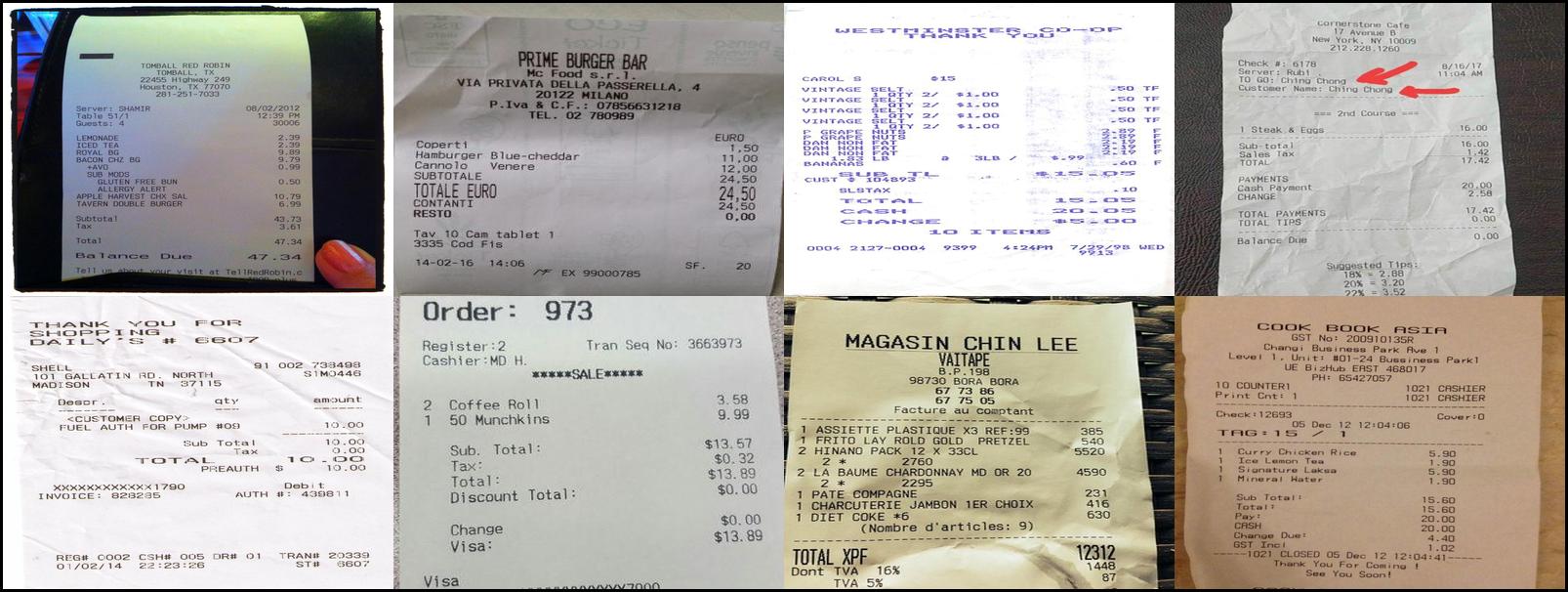
WildReceipt dataset from “Spatial Dual-Modality Graph Reasoning for Key Information Extraction” | “repository”.
>>> # NOTE: You need to download the dataset first.
>>> from doctr.datasets import WILDRECEIPT
>>> train_set = WILDRECEIPT(train=True, img_folder="/path/to/wildreceipt/",
>>>                     label_path="/path/to/wildreceipt/train.txt")
>>> sample = train_set[0]
>>> img, target = sample.image, sample.target
>>> test_set = WILDRECEIPT(train=False, img_folder="/path/to/wildreceipt/",
>>>                    label_path="/path/to/wildreceipt/test.txt")
>>> sample = test_set[0]
>>> img, target = sample.image, sample.target
- Parameters:
img_folder (str) – folder with all the images of the dataset
label_path (str) – path to the annotations file of the dataset
train (bool) – whether the subset should be the training one
use_polygons (bool) – whether polygons should be considered as rotated bounding box (instead of straight ones)
recognition_task (bool) – whether the dataset should be used for recognition task
detection_task (bool) – whether the dataset should be used for detection task
**kwargs (Any) – keyword arguments from AbstractDataset.
- class COCOTEXT(
- img_folder,
- label_path,
- train=True,
- use_polygons=False,
- recognition_task=False,
- detection_task=False,
- **kwargs,
COCO-Text dataset from “COCO-Text: Dataset and Benchmark for Text Detection and Recognition in Natural Images” | “homepage”.
>>> # NOTE: You need to download the dataset first.
>>> from doctr.datasets import COCOTEXT
>>> train_set = COCOTEXT(train=True, img_folder="/path/to/coco_text/train2014/",
>>>                     label_path="/path/to/coco_text/cocotext.v2.json")
>>> sample = train_set[0]
>>> img, target = sample.image, sample.target
>>> test_set = COCOTEXT(train=False, img_folder="/path/to/coco_text/train2014/",
>>> label_path = "/path/to/coco_text/cocotext.v2.json")
>>> sample = test_set[0]
>>> img, target = sample.image, sample.target
- Parameters:
img_folder (str) – folder with all the images of the dataset
label_path (str) – path to the annotations file of the dataset
train (bool) – whether the subset should be the training one
use_polygons (bool) – whether polygons should be considered as rotated bounding box (instead of straight ones)
recognition_task (bool) – whether the dataset should be used for recognition task
detection_task (bool) – whether the dataset should be used for detection task
**kwargs (Any) – keyword arguments from AbstractDataset.
- class DocArtefacts(train=True, use_polygons=False, **kwargs)[source]#
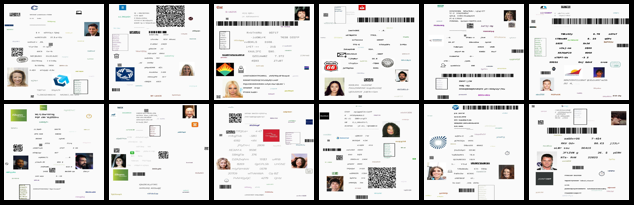
Object detection dataset for non-textual elements in documents. The dataset includes a variety of synthetic document pages with non-textual elements.
>>> from doctr.datasets import DocArtefacts
>>> train_set = DocArtefacts(train=True, download=True)
>>> sample = train_set[0]
>>> img, target = sample.image, sample.target
Synthetic data generators#
- class CharacterGenerator(*args, **kwargs)[source]#
Implements a character image generation dataset
>>> from doctr.datasets import CharacterGenerator
>>> ds = CharacterGenerator(vocab='abdef', num_samples=100)
>>> sample = ds[0]
>>> img, target = sample.image, sample.target
- Parameters:
vocab – vocabulary to take the character from
num_samples – number of samples that will be generated iterating over the dataset
cache_samples – whether generated images should be cached firsthand
font_family – font to use to generate the text images
img_transforms – composable transformations that will be applied to each image
sample_transforms – composable transformations that will be applied to both the image and the target
- class WordGenerator(
- vocab,
- min_chars,
- max_chars,
- num_samples,
- cache_samples=False,
- font_family=None,
- img_transforms=None,
- sample_transforms=None,
Implements a character image generation dataset
>>> from doctr.datasets import WordGenerator
>>> ds = WordGenerator(vocab='abdef', min_chars=1, max_chars=32, num_samples=100)
>>> sample = ds[0]
>>> img, target = sample.image, sample.target
- Parameters:
vocab (str) – vocabulary to take the character from
min_chars (int) – minimum number of characters in a word
max_chars (int) – maximum number of characters in a word
num_samples (int) – number of samples that will be generated iterating over the dataset
cache_samples (bool) – whether generated images should be cached firsthand
font_family (str | list[str] | None) – font to use to generate the text images
img_transforms (Callable[[Any], Any] | None) – composable transformations that will be applied to each image
sample_transforms (Callable[[Sample], Sample] | None) – composable transformations that will be applied to both the image and the target
Custom datasets#
- class DetectionDataset(img_folder, label_path, use_polygons=False, **kwargs)[source]#
Implements a text detection dataset
>>> from doctr.datasets import DetectionDataset
>>> train_set = DetectionDataset(img_folder="/path/to/images",
>>>                              label_path="/path/to/labels.json")
>>> sample = train_set[0]
>>> img, target = sample.image, sample.target
- class RecognitionDataset(img_folder, labels_path, **kwargs)[source]#
Dataset implementation for text recognition tasks
>>> from doctr.datasets import RecognitionDataset
>>> train_set = RecognitionDataset(img_folder="/path/to/images",
>>>                                labels_path="/path/to/labels.json")
>>> sample = train_set[0]
>>> img, target = sample.image, sample.target
- class OCRDataset(img_folder, label_file, use_polygons=False, **kwargs)[source]#
Implements an OCR dataset
>>> from doctr.datasets import OCRDataset
>>> train_set = OCRDataset(img_folder="/path/to/images",
>>>                        label_file="/path/to/labels.json")
>>> sample = train_set[0]
>>> img, target = sample.image, sample.target
- class LayoutDataset(img_folder, label_path, use_polygons=False, **kwargs)[source]#
Implements a document layout detection dataset.
>>> from doctr.datasets import LayoutDataset
>>> train_set = LayoutDataset(
>>>     img_folder="/path/to/images",
>>>     label_path="/path/to/labels.json",
>>> )
>>> sample = train_set[0]
>>> img, target = sample.image, sample.target
- class TableStructureDataset(img_folder, label_path, use_polygons=False, **kwargs)[source]#
Table structure recognition dataset for table structure recognition.
The labels file maps each image name to its cells and their logical coordinates:
{
    "table_0.jpg": {
        "cells": [[[x0, y0], [x1, y1], [x2, y2], [x3, y3]], ...],   # quads (TL, TR, BR, BL), abs px
        "logic": [[start_col, end_col, start_row, end_row], ...]      # 0-indexed, per cell
    },
    ...
}
Each sample yields the image and a target containing relative cells and their logical coordinates. Cells have shape (N, 4) by default, or (N, 4, 2) when use_polygons=True. Logical coordinates have shape (N, 4).
>>> from doctr.datasets import TableStructureDataset
>>> from doctr.transforms import Resize
>>> train_set = TableStructureDataset(
>>>     img_folder="/path/to/images",
>>>     label_path="/path/to/labels.json",
>>> )
>>> img, target = train_set[0]
- Parameters:
- class OrientationDataset(img_folder, **kwargs)[source]#
Implements a basic image dataset where targets are filled with zeros.
>>> from doctr.datasets import OrientationDataset
>>> train_set = OrientationDataset(img_folder="/path/to/images")
>>> sample = train_set[0]
>>> img, target = sample.image, sample.target
Vocabularies#
- VOCABS: dict[str, str]#
The supported vocabularies, by name. See Vocabularies for the complete list.
Utilities#
- translate(input_string, vocab_name, unknown_char='■')[source]#
Translate a string input in a given vocabulary
- encode_string(input_string, vocab)[source]#
Given a predefined mapping, encode the string to a sequence of numbers
- decode_sequence(input_seq, mapping)[source]#
Given a predefined mapping, decode the sequence of numbers to a string
- encode_sequences(
- sequences,
- vocab,
- target_size=None,
- eos=-1,
- sos=None,
- pad=None,
- dynamic_seq_length=False,
Encode character sequences using a given vocab as mapping
- Parameters:
sequences (list[str]) – the list of character sequences of size N
vocab (str) – the ordered vocab to use for encoding
target_size (int | None) – maximum length of the encoded data
eos (int) – encoding of End Of String
sos (int | None) – optional encoding of Start Of String
pad (int | None) – optional encoding for padding. In case of padding, all sequences are followed by 1 EOS then PAD
dynamic_seq_length (bool) – if target_size is specified, uses it as upper bound and enables dynamic sequence size
- Returns:
the padded encoded data as a tensor
- Return type:
- pre_transform_multiclass(img, target, class_names=None)[source]#
Converts multiclass target to relative coordinates.
- Parameters:
img – Image
target (tuple[ndarray, list]) – tuple of target polygons and their classes names
class_names (list[str] | None) – if given, the returned dictionary contains exactly these classes, in this order. Classes without any box in this sample map to an empty array. This keeps the class -> channel mapping stable across samples, which the detection models rely on.
- Returns:
Image and dictionary of boxes, with class names as keys
- Return type: